To tune a guitar without a tuner, use relative pitch tuning: play the 5th fret of the low E string and match it to the open A string, then the 5th fret of A to the open D string, continuing up to B (5th fret of G) and high E (5th fret of B). This fret-to-fret method works anywhere with no equipment — perfect for when your phone is dead, your clip-on tuner is out of battery, or you need to quickly check pitch on stage. Developing ear tuning ability also trains your pitch recognition, making you a more musical and adaptable guitarist.
Keeping your guitar in tune is the single most important habit you can build as a beginner. Even a $1,000 guitar sounds terrible out of tune, while a properly tuned $150 starter guitar sounds great. This guide covers every method for tuning a guitar — electronic tuner, smartphone app, online tuner, tuning by ear, and reference pitch — so you can tune reliably in any situation.
Standard Guitar Tuning: EADGBE Explained
To tune a guitar without a tuner, use the 5th-fret harmonic method, match to a piano or pitch pipe reference, use an online tuner on your phone browser, or tune string-to-string starting from the thickest E string. Each method has tradeoffs — harmonics are fastest, piano reference is most accurate for recording, and by-ear tuning develops musicianship over time. Most working guitarists keep a clip-on tuner as backup even when tuning by ear.
Before you can tune, you need to know what you're tuning to. Standard tuning assigns a specific pitch to each of the six strings, numbered from thickest to thinnest:
- String 6 (thickest, lowest pitch): E2
- String 5: A2
- String 4: D3
- String 3: G3
- String 2: B3
- String 1 (thinnest, highest pitch): E4
A helpful mnemonic: Eddie Ate Dynamite, Good Bye Eddie.
Standard tuning is used in the vast majority of guitar music — rock, pop, country, blues, folk, and jazz. Alternative tunings (Drop D, Open G, DADGAD) exist for specific styles, but every guitarist starts with standard.
One critical point for beginners: When adjusting a tuning peg, turn slowly and pluck the string repeatedly rather than cranking quickly to pitch. Overshooting by even a small amount is common, and repeatedly going past the target and back again stretches strings and makes tuning unstable. Approach the target pitch from below — tune up to the note rather than down to it. Strings hold their <a href="/knowledge-hub/guitar-tuning-stability-tips">tuning</a> better when they land on pitch from below.
Method 1: Clip-On Chromatic Tuner (Best for Beginners)
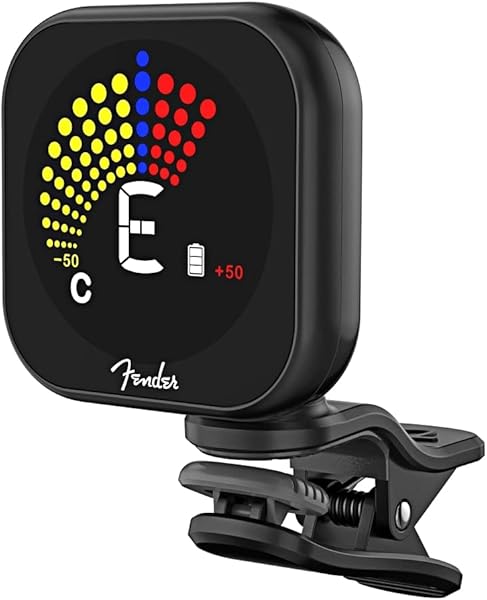
A clip-on chromatic tuner is the fastest, most accurate, and most beginner-friendly tuning method available. These small devices clip onto your guitar headstock, detect string vibrations directly through the wood (rather than through a microphone), and work reliably in noisy environments like rehearsal rooms and stages.
How to use a clip-on tuner: 1. Clip the tuner onto the headstock (the flat piece at the top of the neck where the tuning pegs are). 2. Turn the tuner on and make sure it's set to "chromatic" mode. 3. Pluck the low E string (string 6, thickest string). 4. Watch the display — it will show the nearest detected note (like "E" or "F") and a needle or bar graph indicating flat (left of center) or sharp (right of center). 5. Turn the tuning peg slowly until the needle centers on the note name you want, with the display showing green (or center). 6. Repeat for all six strings: E, A, D, G, B, E.
Tuner recommendations: The D'Addario NS Micro Tuner ($15) and Snark SN-5X ($12) are both widely used and accurate to within ±0.5 cents. Either option works perfectly for a beginner.
Pro tip: After tuning all six strings, go back and check the low E again. Tuning changes in other strings can slightly affect string tension across the neck, pulling the first string you tuned slightly out.
Method 2: Smartphone Tuner Apps (Free and Convenient)
Free tuning apps like GuitarTuna, Fender Tune, and Pano Tuner use your phone's microphone to detect pitch. They work well in quiet environments and are always available since most guitarists carry a phone.
- GuitarTuna — most popular guitar-specific app, guitar string recognition, free version covers standard tuning
- Fender Tune — clean interface, chromatic mode, works for any stringed instrument
- Pano Tuner — precise chromatic tuner, no ads, excellent sensitivity
Limitation: App-based tuners use a microphone, so they struggle in noisy environments. If you're practicing in a loud room or tuning on stage, a clip-on tuner is significantly more reliable.
Method 3: Online Tuner (For When You Have No Accessories)
If you have a computer or phone with a microphone and internet access, an online tuner at sites like tuner.ninja or 8notes.com works in a pinch. Open the site, allow microphone access, and use it exactly like an app-based tuner.
Online tuners are most useful when you've forgotten your tuner at home or are practicing on a borrowed guitar. The accuracy is roughly equivalent to a smartphone app.
Method 4: Tuning By Ear (Relative Tuning)
Once you have one string correctly in tune, you can tune all remaining strings relative to it — a skill called relative tuning. This doesn't require any tools, but it requires a trained ear that most beginners develop over weeks to months of practice.
- Press string 6 at the 5th fret. This note is A — use it to tune string 5 (open A) to match.
- Press string 5 at the 5th fret. This note is D — use it to tune string 4 (open D) to match.
- Press string 4 at the 5th fret. This note is G — use it to tune string 3 (open G) to match.
- Press string 3 at the 5th fret. This note is B — use it to tune string 2 (open B) to match.
- Press string 2 at the 4th fret (not 5th). This note is E — use it to tune string 1 (open E) to match.
The B string is the exception — always remember the 4th fret. This method keeps strings in tune relative to each other, which is sufficient for solo practice. For playing with other instruments, your reference pitch (typically A = 440 Hz) must come from an external source first.
Why Your Guitar Goes Out of Tune
New strings go out of tune constantly for the first 1–2 weeks. New strings need to be "stretched in" — each time you tune and play, the strings stretch slightly and fall flat. Tune before every practice session and your guitar will stabilize faster.
- New strings — stretch during the first week of use; tune frequently
- Temperature and humidity changes — wood expands and contracts, affecting neck tension
- Nut binding — string slots in the nut can cause the string to catch and slip rather than move smoothly; a small amount of graphite (pencil lead) in the nut slot helps
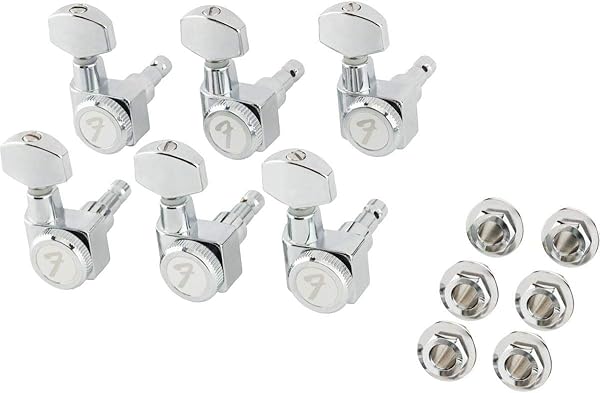
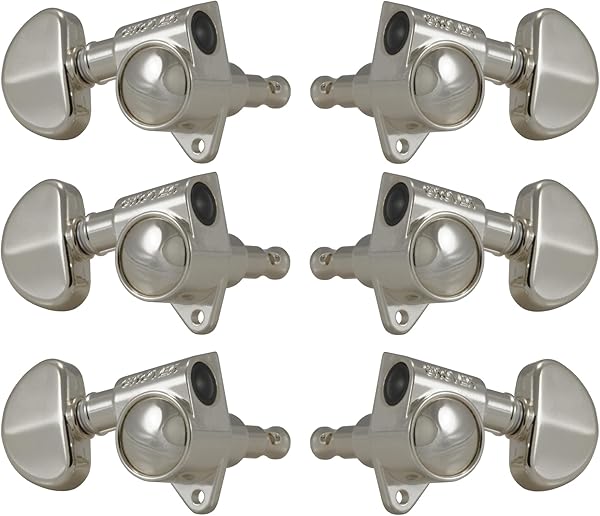
- Worn tuning pegs — older machines with worn gears slip under string tension; replacement tuning pegs cost $15–$40 per set
- Playing style — aggressive strumming and bending cause more tuning drift than fingerpicking
How Often Should You Tune?
Tune your guitar every single time you play. This takes less than 3 minutes with a clip-on tuner and builds the habit of starting every session in tune. Guitars go out of tune between sessions due to temperature changes, humidity shifts, and simple string tension relaxation.
If your guitar goes noticeably out of tune mid-session during normal playing (not bending or heavy strumming), investigate string age, nut condition, and tuning peg quality.
FAQ
Can I tune a guitar without a tuner or app? Yes — if you have access to any reference pitch (a piano, another tuned guitar, a pitch pipe, or even a YouTube video of standard tuning notes), you can tune your low E to match and then use the 5th fret method for the remaining strings. Without any reference pitch, you can tune your strings relative to each other, which works fine for solo practice.
How do I know when my string is in tune? With a chromatic tuner, the display shows the note name and centers on green when in tune. Without a tuner, two strings are in tune with each other when they produce a single, stable tone without any "beating" (a waving, pulsating sound that occurs when two pitches are close but not identical). The beating disappears completely when the pitches match.
Why does my guitar sound out of tune even when the tuner says it's in tune? If individual notes tune correctly but chords sound off, the issue is likely intonation — the relationship between open string pitch and fretted pitch. Intonation is adjusted at the saddle (the small piece at the base of the strings) and usually requires a setup from a guitar technician. Poor intonation is common on very low-cost guitars and guitars that haven't been professionally set up.
Ready to upgrade your tuner or pick up a guitar that holds its tune? Visit [professionalgl.com](https://professionalgl.com) for tuners, guitars, and expert gear advice from our Pro Concierge team.
- [How to Change Guitar Strings](/knowledge-hub/how-to-change-acoustic-guitar-strings)
- [Guitar String Action Setup](/knowledge-hub/guitar-intonation-guide)
- [Best Guitar Strings for Beginners](/knowledge-hub/2026-06-22-best-guitar-strings-for-beginners)
*See also: [How to Tune a Guitar with a Clip-On Tuner](/knowledge-hub/2026-06-20-how-to-tune-a-guitar) — the fastest and most accurate method for beginners and stage use.*
See also: [How to Tune a Guitar: Standard EADGBE Tuning Guide](/knowledge-hub/2026-06-20-how-to-tune-a-guitar)
Browse Professional GL — Strings, Capos, Pedals & More. USA-Designed. Free Shipping on Orders $50+.
Trusted by 1,318+ professional musicians · 4.8 stars · 30-day money-back guarantee · Ships in 1–3 business days.
READY TO UPGRADE YOUR RIG?
Shop Guitar Strings, Capos & Pedals — Free Shipping $50+
USA-designed gear trusted by 1,318+ musicians. Free shipping on orders $50+. 30-day money-back guarantee.
Shop All Guitar Gear — Free Shipping $50+ →